Azure Update Manager is the engine. OPUS is the structured workflow, the KB curation discipline, the compliance evidence, the audit trail — and the security posture that surfaces CVE risk before you patch. Built for the engineer running Patch Tuesday across multiple tenants. Self-hosted. No agents. No data leaves your Azure environment.
30-day free trial. No payment details required.
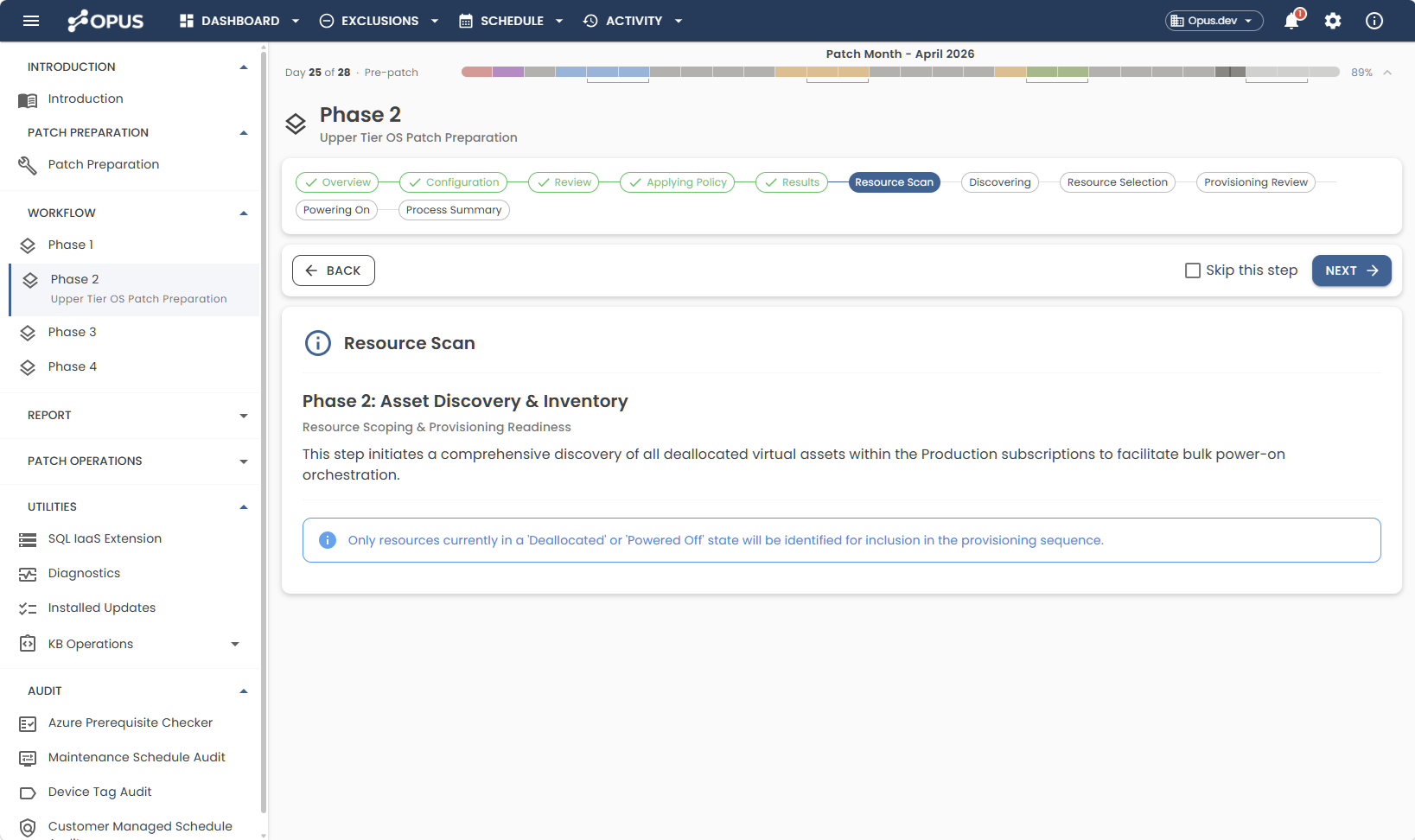
Patching isn't a single event. It's a month-long discipline — preparation, execution, review, remediation, and audit evidence. OPUS handles every stage of it.
KB curation across every Maintenance Configuration, intelligently routed — SQL-offset configurations receive SQL patches a week later automatically. Devices with active exemptions are surfaced for review. Dispensations approaching expiry are flagged before they silently lapse.
The work between preparation and patch weekend. Deallocated devices powered on. Runbook schedules modified if you've enabled that capability. Fresh assessments run so AUM walks into the weekend with current data — not stale results from a week ago.
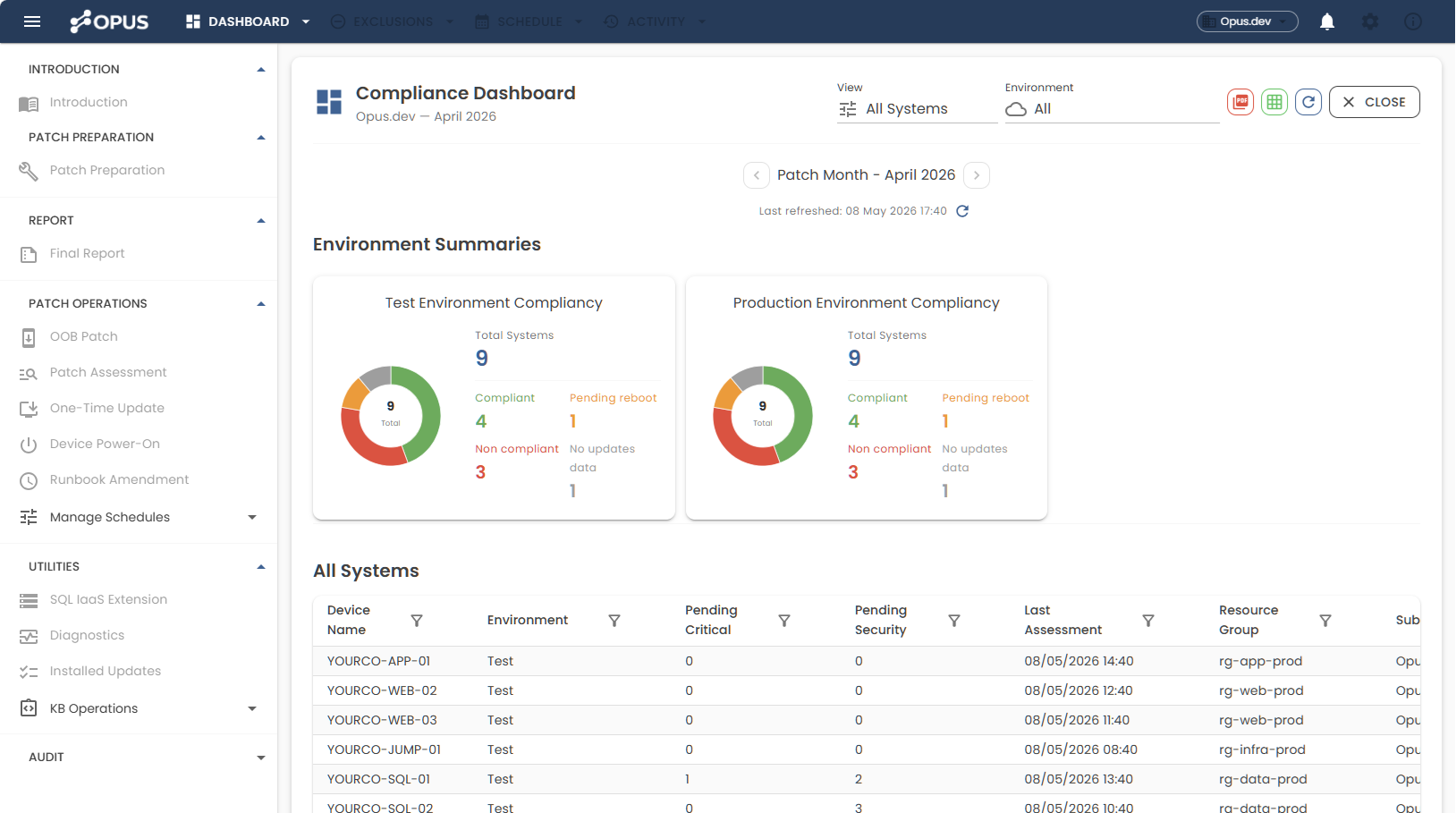
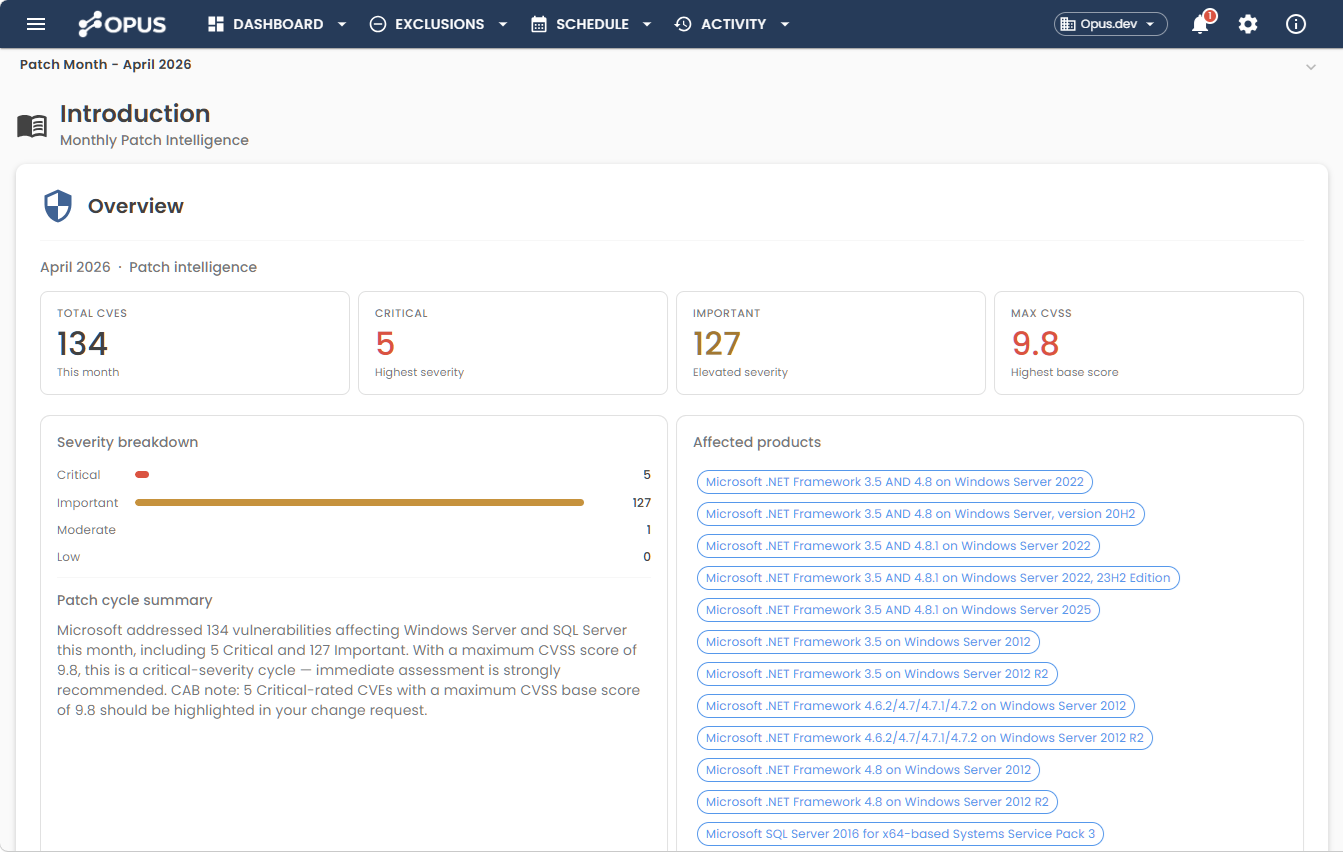
You walk in Monday morning and open the Compliance Dashboard. Every non-compliant device, scored by CVE severity from Microsoft's MSRC feed — already calculated overnight by an OPUS scheduled task. You're not starting the week with triage. You're starting the week with a prioritised list.
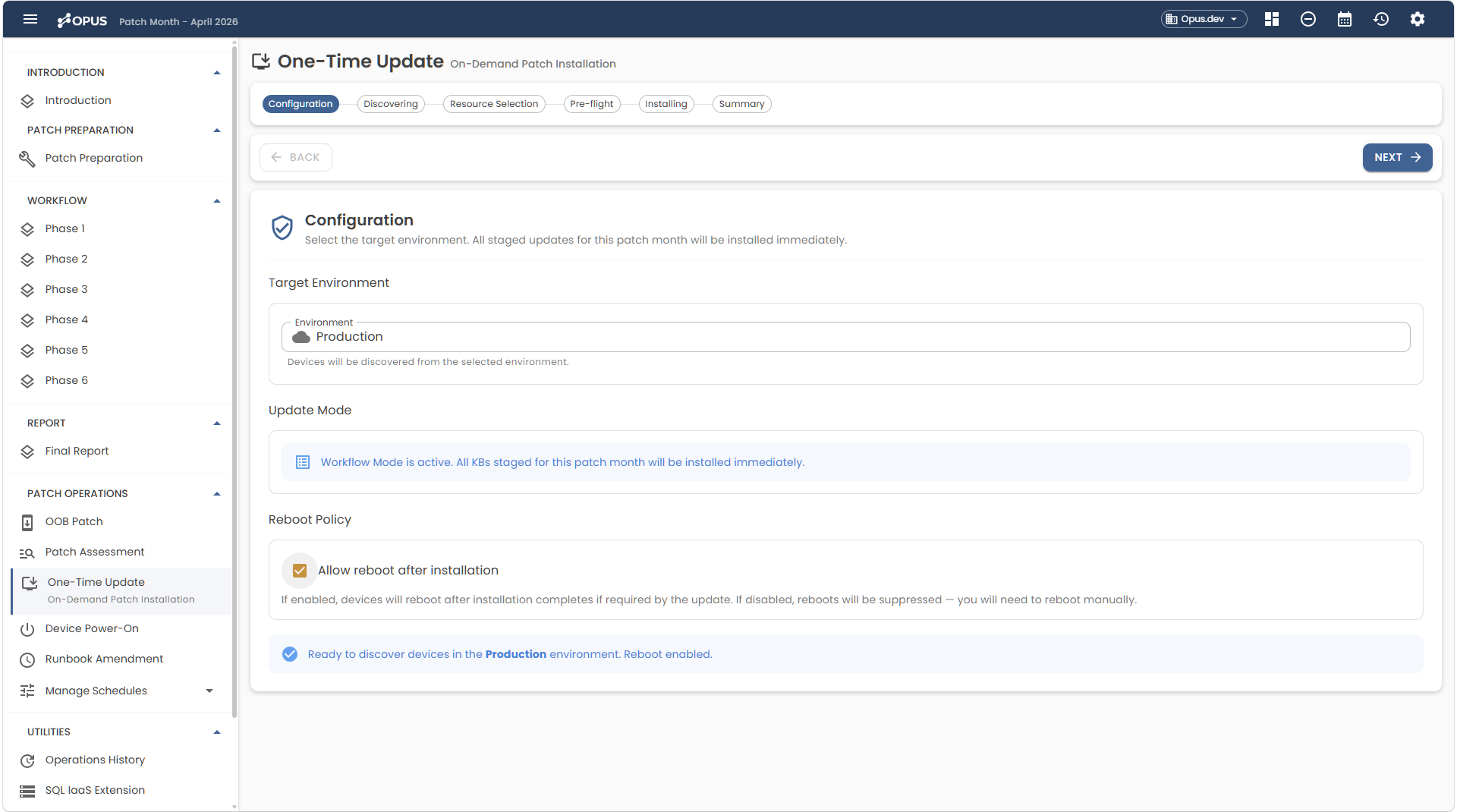
In twenty years of patching, no estate ever hits 100% on the first pass. The team works the dashboard list — some devices clear with a retry, some need a one-time update, some need a KB installed directly. OPUS gives you three remediation paths, each appropriate for a different kind of stubborn device.
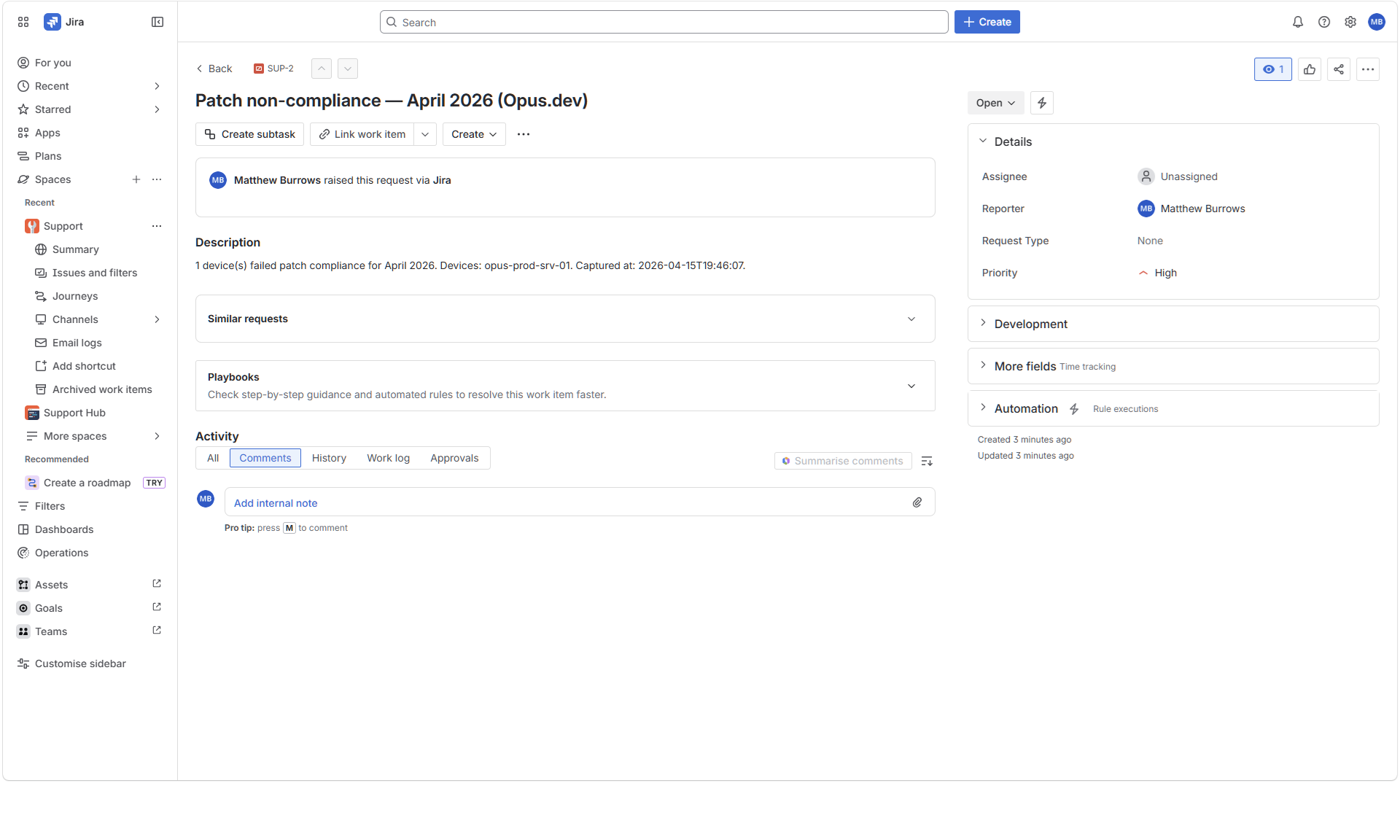
For the stubborn devices the team can't clear, OPUS raises a ticket automatically when the compliance threshold is breached — Jira, ServiceNow, PagerDuty, or webhook. Severity, device list, KB context, full audit link. The ticket isn't a notification someone has to chase. It's an investigation, opened.
Six months later, when the boss forwards an audit request and your stomach drops — you don't go hunting through C:\Temp or SharePoint for that one report. The ticket is already there. 98% compliance, with every stubborn device explained, every action logged, and every dispensation signed off.
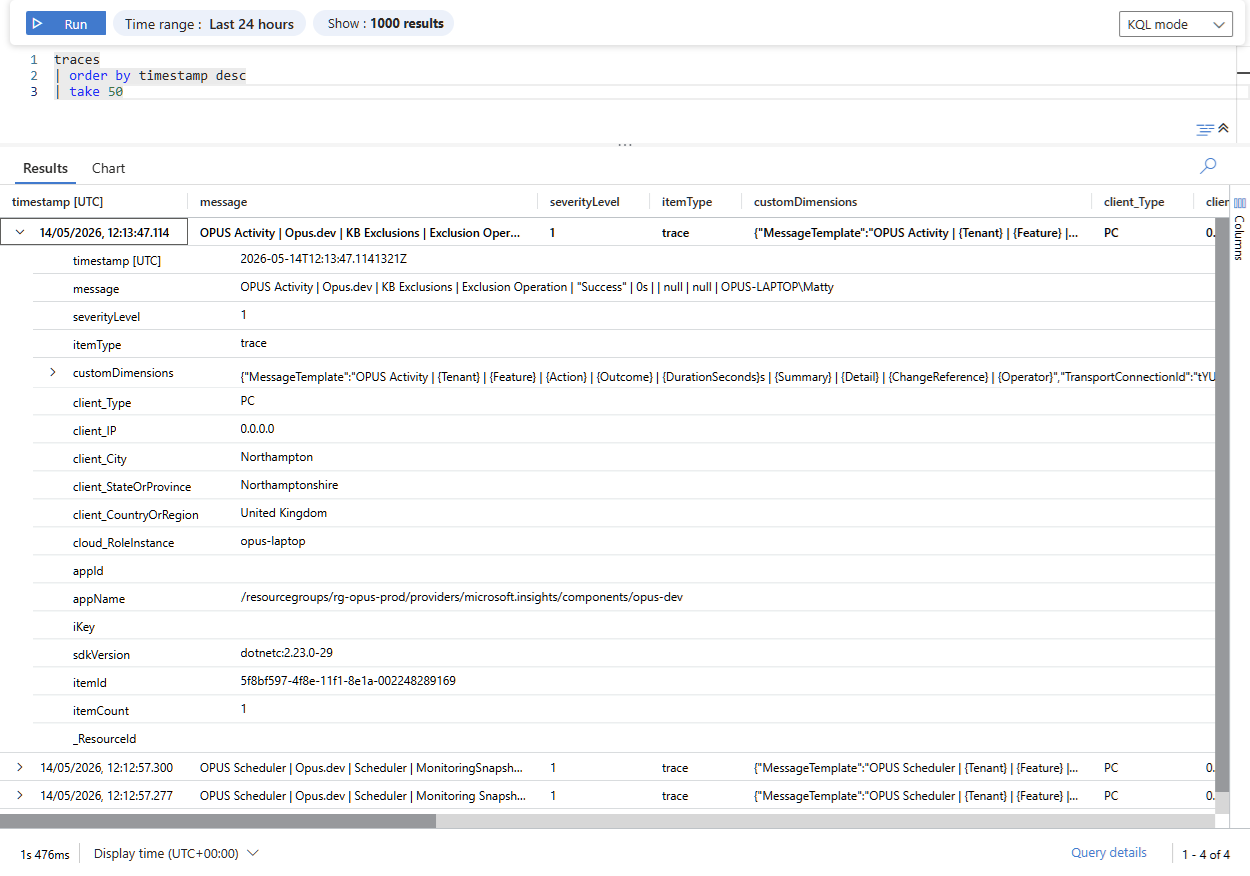
Every operation OPUS performs streams to Azure Application Insights — KB exclusions, scheduler runs, operator actions, exemption changes, ticket creations. Structured, queryable, attributable. The same SIEM your security team already runs (Sentinel, Splunk, or anything that consumes Application Insights data) just gained patch governance telemetry.
The security review you'd dread for any other patching tool is one your team can defend.
Capabilities that solve the operational realities of patching at scale — most of which no other tool in this space offers at all.
Switch between client tenants in one click via the tenant pill. Each tenant's KB exclusions, device exemptions, audit log, and compliance history are fully isolated. One OPUS instance. Every customer estate.
Built for MSPsAdd a KB to the exclusion list and it'll never hit a device — until the expiry date you set. When that date arrives, OPUS removes the exclusion automatically. No forgetting. No KBs blocked forever because someone left the company.
Exempt specific devices from patching with an expiry date tied to a signed-off dispensation. When the dispensation lapses, OPUS surfaces it for review automatically. No Monday morning surprises in six months' time.
Install or uninstall any KB across selected devices, bypassing AUM entirely. Simulate the operation first to see exactly what would happen. No other patching tool can uninstall a bad KB across a device list — meaning no more engineers at 2am on time-and-a-half undoing a dodgy patch one device at a time.
Unique to OPUSAUM refuses to patch SQL servers without the SQL IaaS extension installed. Full stop. OPUS installs it across your estate seamlessly — one less reason for an engineer to be diagnosing AUM at 2am, one less compliance gap that quietly persists for months.
Forward Schedule (dynamic, up to a year ahead) · Every workflow step also runnable as an ad-hoc utility · Installed Update Tool (audit installed KBs in bulk) · Pre-requisites Checker (verify Azure environment is patch-ready) · Power On utility · Assessment-on-demand.
Curating KBs across dozens of Azure Maintenance Configurations isn't a portal task. It's a scripting task — and one that breaks every time Microsoft changes an API, every time a new patch class appears, every time the team's requirements shift.
Most Azure teams take one of three paths:
"I'm an infrastructure engineer and a .NET developer — and twenty years in enterprise IT taught me that the combination is rare. OPUS is what happens when both skills point at the same problem."
Pay only for the devices you manage. Billed annually — price locks in for the year, with a simple usage true-up at renewal.
Get in touch for a tailored quote. Large estates get hands-on onboarding and a pricing conversation that makes sense for your scale.
Licences are issued annually. At renewal, a usage report exported from OPUS confirms your device count — you only ever pay for what you actually manage.
OPUS works on the free Azure Update Manager tier. No additional Microsoft licensing required.
Most tools give you 14 days — not enough to complete a single patch cycle. OPUS gives you 30 days: enough to run a full Patch Tuesday, evaluate the curation phase, build compliance history, and see exactly what it's worth before spending a penny.
No payment details required to start. If your trial ends mid-cycle, a 14-day read-only grace period ensures it completes. OPUS never leaves your estate semi-compliant.
OPUS is built by an infrastructure engineer who has run enterprise patching at scale. If your estate has a specific shape, get in touch — we'll tell you honestly whether OPUS is the right fit.
hello@opus-orchestrator.co.ukUsually replied to within one business day.